Shopify Cart Drawer vs Cart Page Guide
A cart drawer slides over the page the shopper is on. A cart page is a separate page for reviewing the cart. In Shopify's reference theme, Dawn, you switch between them in theme settings. Anything beyond your theme's own settings is theme code or an app, so check what your theme offers before you plan the work.
By Charles · Published · Updated
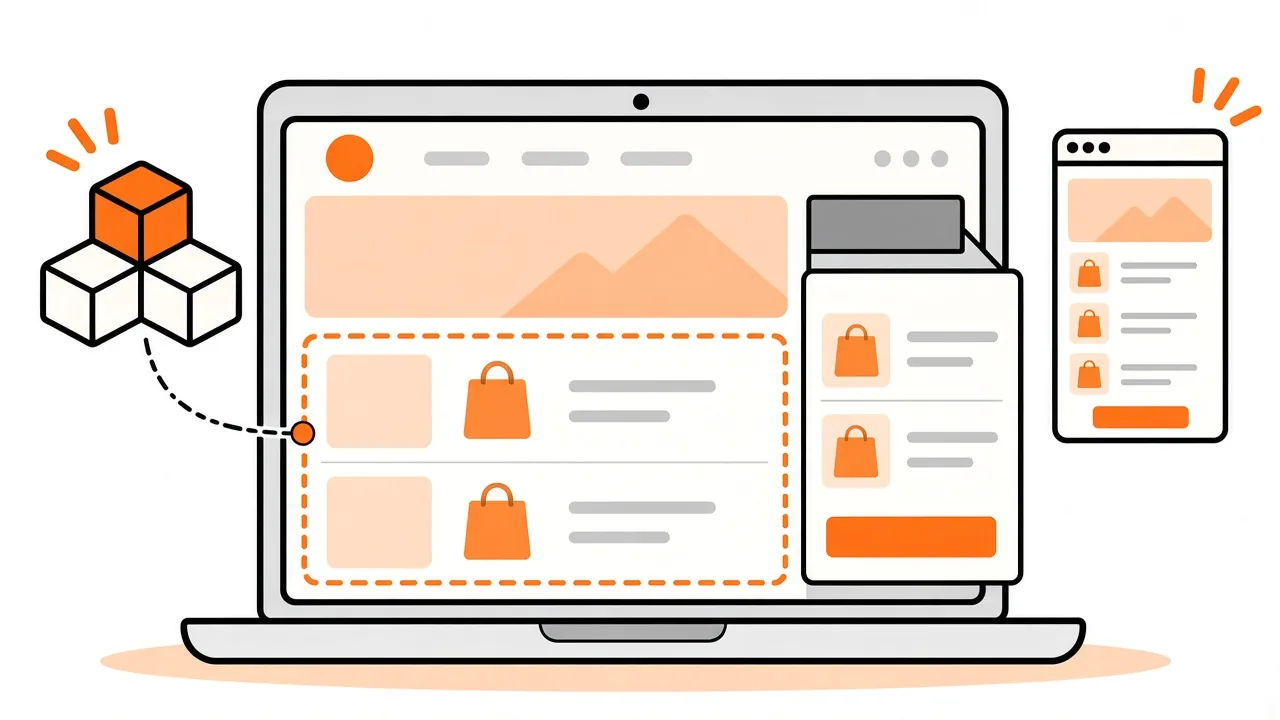
A cart drawer is a panel that slides over the current page when a shopper adds an item. A cart page is a separate page that shows the whole cart. Which one you get, and what you can change without code, depends on your theme.
For the wider picture of shared layouts, see our guide to Shopify template changes. Want a cart change built? Send a project brief to discuss the work.
Key facts
- Dawn, Shopify's reference theme, offers three cart types: Drawer, Page and Popup notification, with the popup as the default. Dawn theme settings, checked 10 November 2026.
- Dawn's drawer settings include a collection shown when the drawer is empty and a color scheme. Dawn theme settings, checked 10 November 2026.
- A custom cart can ask the Cart API to return up to five re-rendered sections in the same request that changes the cart. Shopify Cart API reference, checked 10 November 2026.
What is the difference between a cart drawer and a cart page?
A drawer overlays the page the shopper is on; a cart page replaces it. In Dawn the type is a theme setting, and the cart page is its own template made of sections.
| Cart drawer | Cart page | |
|---|---|---|
| Where it appears | A panel over the current page. | A separate page. |
| How you change it | Theme settings and the theme's drawer code. | The cart template in the theme editor, plus theme code. |
| Dawn settings | Empty-drawer collection and color scheme. | Sections on the cart template, such as the items and footer sections. |
| Shared by | Every page, because it is part of the theme layout. | One template. |
The drawer row matters for scoping. In Dawn the drawer is rendered from the theme layout when the cart type is set to Drawer, so a change to it can show up on every page. Our template changes guide explains why shared theme code needs a clear brief. These details come from Dawn's source, checked 10 November 2026, and other themes may be built differently.
How do you switch the cart type in the theme editor?
In Dawn, open the theme editor, choose Theme settings, open Cart and pick a type. The same group holds the other cart settings.
- Open the theme editor for the theme you want to change. Shopify says it is a good idea to duplicate your theme first, so you can discard changes and start again (checked 10 November 2026).
- Open Theme settings, then Cart.
- Choose Drawer, Page or Popup notification.
- Save, then add an item to the cart in the preview to see the result.
Dawn's default is the popup notification, so check which type your store is using before you assume it has a drawer. Other themes may offer different types, or none, so check your theme's documentation before you plan around a drawer.
What can you change without code?
In Dawn you can change the cart type, whether the vendor name and a cart note show, which collection appears when the drawer is empty, and the drawer's color scheme. Dawn's settings file, checked 10 November 2026, lists these as cart settings.
If your theme is not Dawn, open its Cart settings and read what is there. A setting you can see in the editor is a safe change to make on a duplicate theme. A feature that has no setting is a code change or an app.
When does a cart change need theme code?
Anything your theme's settings do not offer needs theme code or an app. A different layout, extra content or a changed flow is a developer task, and it is easier to quote when the brief says where the cart appears and how it should behave.
A drawer that updates without a page reload usually asks Shopify to re-render parts of the theme. Shopify's Cart API, checked 10 November 2026, supports bundled section rendering on the add, change, clear and update endpoints: you pass a sections list and the response includes their HTML. Shopify's performance guidance, checked 10 November 2026, says a request can include up to five sections and that more returns a 400 Bad Request.
Dawn's drawer script re-renders two sections after a cart change: cart-drawer and cart-icon-bubble (source, checked 10 November 2026). For a merchant, the point is practical: if a change moves or renames part of the drawer, the cart count or the drawer contents can stop updating, so test both.
If the extra content comes from an app, compare app blocks and app embeds first.
How do you test cart changes safely?
Make the change on a duplicate theme and run the whole cart journey in the preview before you publish. Shopify's duplication guide, checked 10 November 2026, says a copy lets you discard changes and start again. It also says a theme download does not include products, collections, menus, pages or other store content, so it is not a store backup.
- Add an item from a product page and from a collection page.
- Change a quantity, remove an item and empty the cart.
- Check that the cart count in the header updates each time.
- Check the empty cart state, on mobile and on desktop.
- Follow the checkout button as far as the checkout page without placing an unintended order. Shopify checkout optimization checklist.
Also watch page speed. Our Shopify speed guide covers how to check it after a change.
Can Ecommerce Nerds build or change your cart?
Cart drawer customization is one example in our Growth Tweak package, a larger conversion-focused change across several templates, for a fixed $1,299 USD. It is an example, not a promise that every cart request fits one job. Describe the cart you want in a brief, and we will confirm the fit and send a fixed quote within one business day before you pay.
Browse the Shopify conversion improvements service and read how a project works before you start.
Frequently asked questions
Where do I switch between a cart drawer and a cart page?
In Dawn, open the theme editor, then Theme settings, then Cart, and choose a type: Drawer, Page or Popup notification. Other themes can name or offer these options differently, so check your theme's documentation.
Which is better for my store, a cart drawer or a cart page?
Neither wins in every store. A drawer keeps the shopper on the page; a cart page gives the cart more room. Try each on a duplicate theme and measure the result in your own analytics.
Do I need an app to customize the cart drawer?
Not for the settings your theme already exposes. A different layout or extra content is theme code or an app. Check what an app adds to your theme before you install it.
Can Ecommerce Nerds customize a cart drawer?
Cart drawer customization is one example in our Growth Tweak package, which is $1,299 USD. Send a brief describing the drawer and we will confirm the fit and quote a fixed price before you pay.
Have a cart to change? Send a project brief with where it appears and how it should behave.